 Sidefill
Safari extension for iPhone Duo
Safari, edge to edge.
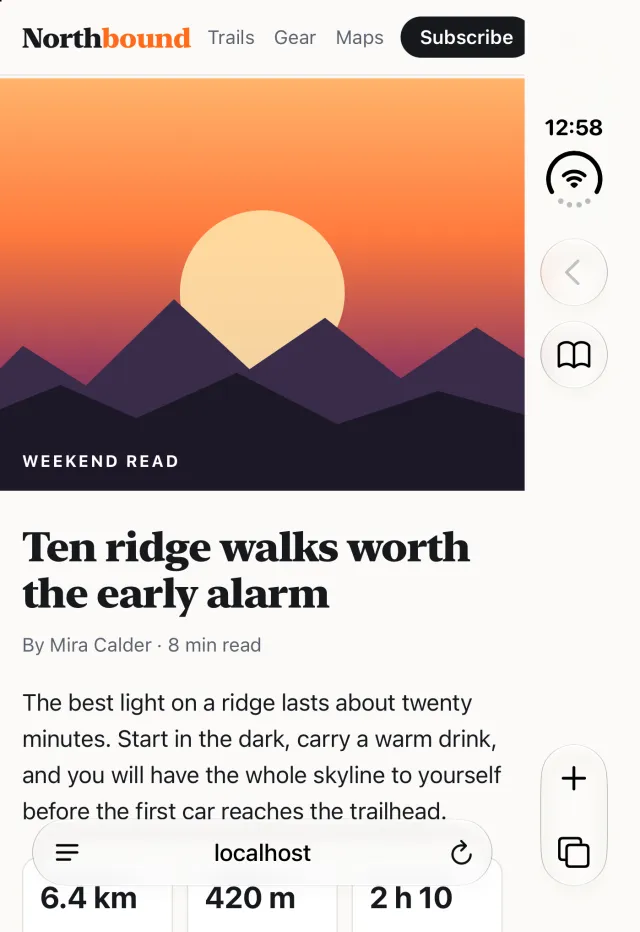
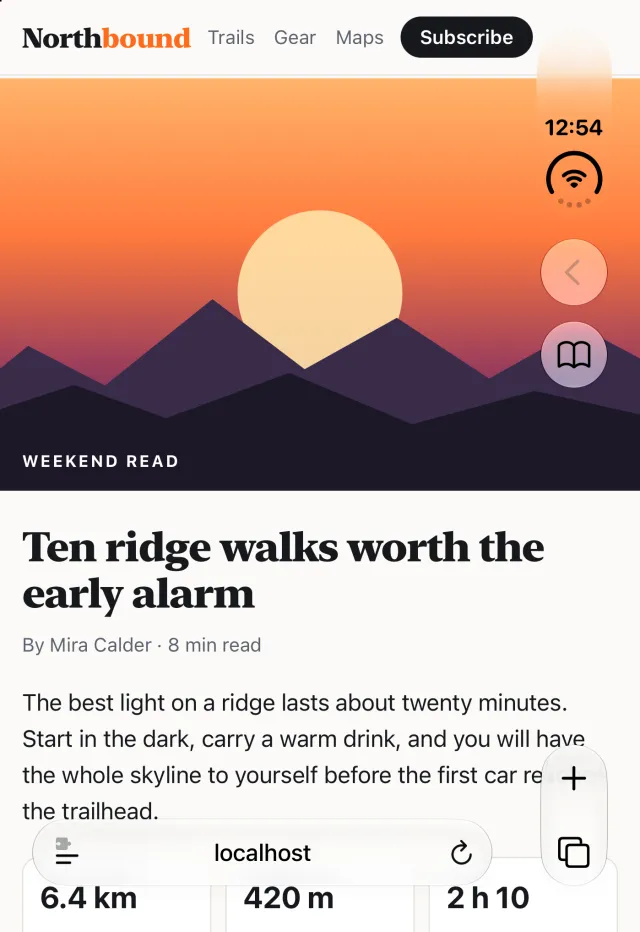
On the iPhone Duo's outer display, Safari keeps its controls in a strip at the side and stops every page short of it. Sidefill lets the page run under the strip and moves links and buttons out from under it.
Get Sidefill on the App Store$0.89 once. No subscription, no account.
What Sidefill changes
One switch in Safari. Pages get the room the display already has, and nothing you need ends up out of reach.
The whole display
Text, photos and page headers use the full width of the outer display, not just the part beside Safari's strip.
Buttons stay tappable
Safari doesn't pass taps under its strip. Sidefill finds menus, buttons and fixed bars near that edge and moves them clear.
No sideways drift
A wider page can slide left and right as you scroll. Sidefill keeps it in place.
Desktop sites left alone
Pages built for a desktop-width layout keep it. Sidefill only widens pages made for a phone.
Your call, site by site
If a site looks better at its usual width, turn on Leave this site as it is. Every other site stays wide.
Optional blur
Soften the part of the page under Safari's controls so they stay easy to read. Pick the strength, or leave it off.
Nothing collected
No account, no analytics, no network requests. Your settings stay on your iPhone.
Edge to edge, still tappable
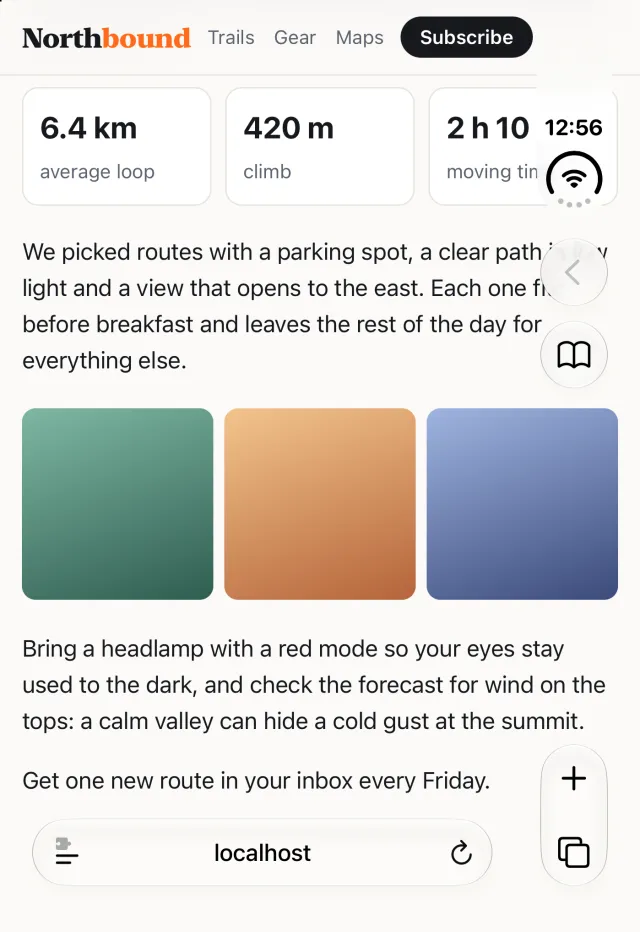
When a page goes wide, buttons near the edge can land under Safari's controls, where taps don't reach. Sidefill pulls them back into the open, like the Subscribe button here.
On in a minute
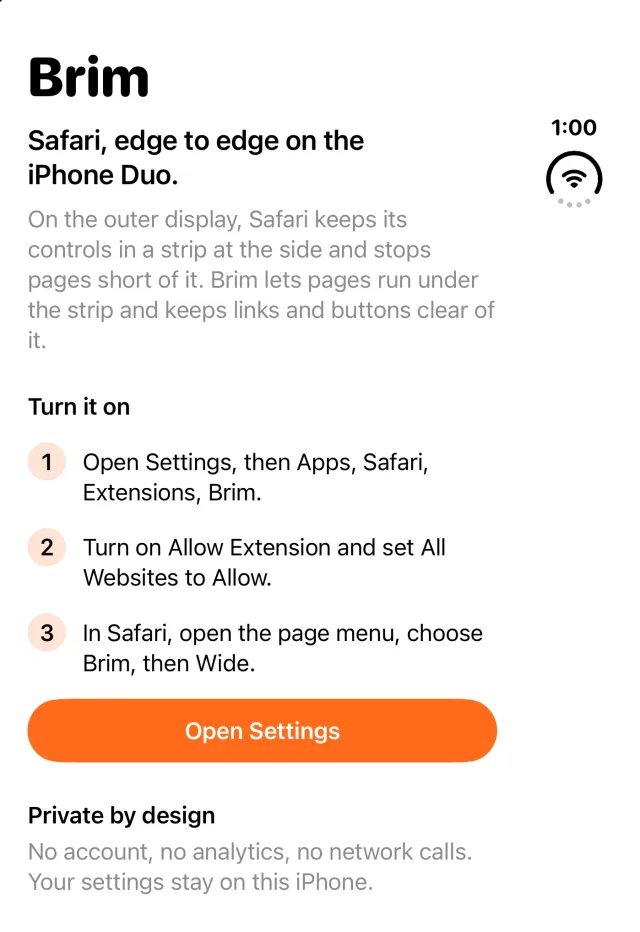
Sidefill lives in Safari. The app is only there to help you switch it on.
- Open Sidefill and tap Open SettingsOr go to Settings, then Apps, Safari, Extensions, Sidefill.
- Allow the extensionTurn on Allow Extension and set All Websites to Allow.
- BrowsePages open wide right away. To switch between Wide and Off, open Safari's page menu and choose Sidefill.
One price, once
Pay once and it's yours. No subscription, no trial countdown.
$0.89
In the US App Store. Shown in your local currency elsewhere.
- One-time purchase
- No in-app purchases, no account
- Download again on any iPhone with the same Apple Account
Questions
Which iPhones does Sidefill work on?
Sidefill is made for the iPhone Duo's outer display. On other iPhones Safari already uses the whole width, so Sidefill stays out of the way.
What about the inner screen?
Sidefill widens pages on the outer display. On the inner screen it leaves pages as they are.
Does it work on every website?
Most sites made for phones widen cleanly. Sites with a desktop layout keep it. If one looks wrong, open Safari's page menu, choose Sidefill and turn on Leave this site as it is.
What about private tabs?
Safari hides the real screen size in private tabs, so Sidefill can't measure the strip there and leaves those pages alone.
Can Sidefill see what I browse?
No. Its script changes the page layout on your iPhone and doesn't record or send anything. See the privacy policy.
How do I turn it off?
Choose Off in Sidefill's menu in Safari, or turn off Allow Extension in Settings, then Apps, Safari, Extensions, Sidefill.
Can I get a refund?
Apple handles purchases and refunds. Request one at reportaproblem.apple.com.
Support
A site that looks wrong, or a question: write to hello@trappist.app. Include the site's address and a screenshot if you can. We reply within two business days.